
Wireless Android Auto vs Apple CarPlay: Complete 2026 India Buyer’s Guide
Confused between wireless Android Auto and Apple CarPlay? Understand compatibility, smartphone connectivity, navigation, performance, installation and the right infotainment upgrade for your car.
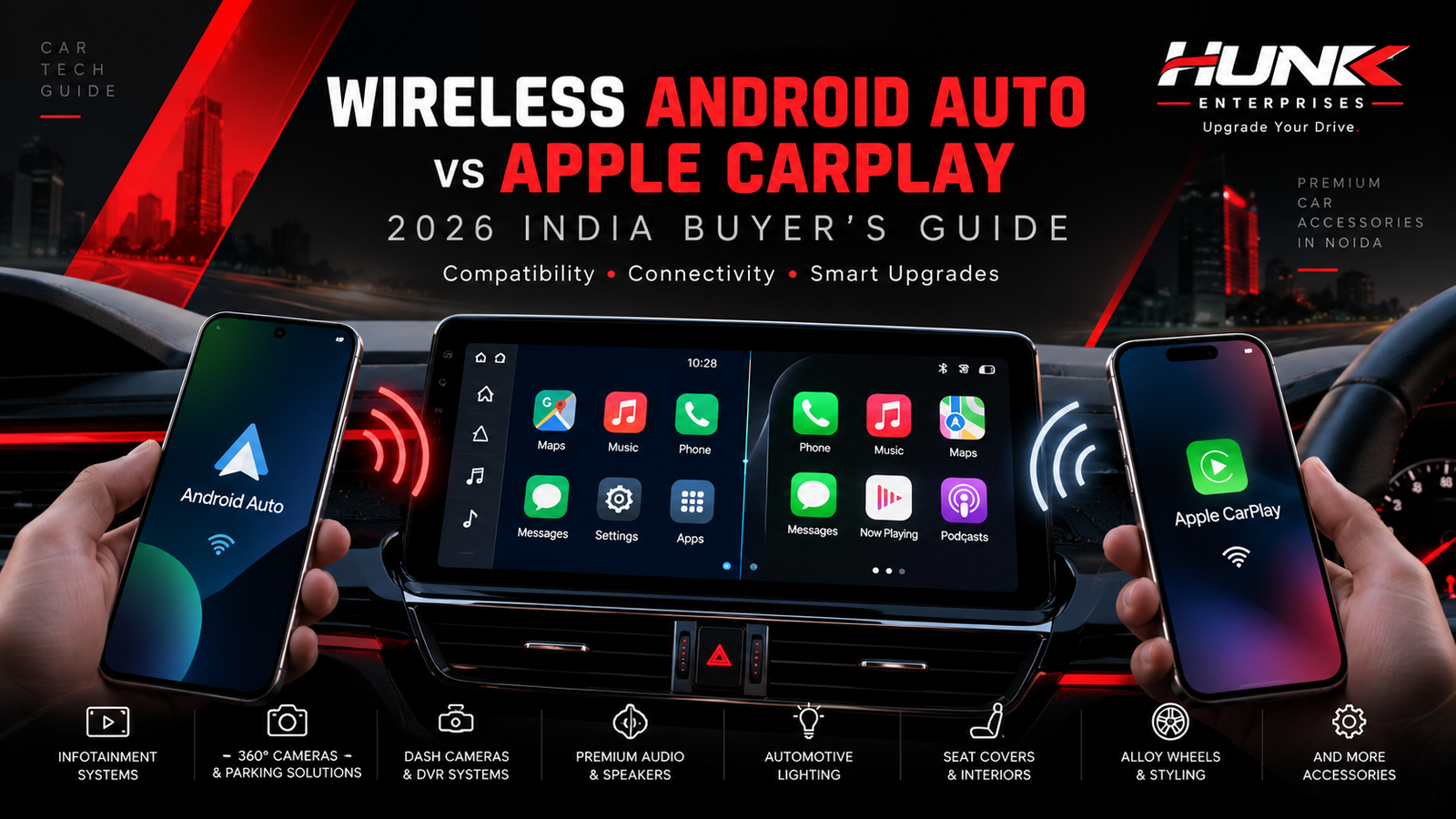
Wireless smartphone connectivity explained: Android Auto, Apple CarPlay and modern infotainment upgrades in India.
Introduction: The Future of Connected Driving
Modern car technology is changing how Indian drivers use navigation, music, communication and entertainment. Two of the most important smartphone integration platforms are Android Auto and Apple CarPlay.
Both systems allow drivers to access supported smartphone applications through their car’s infotainment screen. Instead of handling a phone while driving, users can access compatible navigation, calling, messaging and audio features through a driving-focused interface.
As wireless infotainment systems become more common in India, buyers frequently search for wireless Android Auto vs Apple CarPlay to understand which technology is suitable for their vehicle.
This guide from Hunk Enterprises, Noida explains both platforms, how they work, their practical differences and what you should verify before purchasing an aftermarket car infotainment system.
Android Auto and Apple CarPlay are not competing car stereos. They are smartphone integration platforms. Your phone, vehicle and infotainment hardware determine which platform you can use.
What Is the Difference Between Android Auto and Apple CarPlay?
Android Auto is Google’s connected driving interface for compatible Android smartphones. Apple CarPlay is Apple’s corresponding interface for compatible iPhones.
Android Auto
Designed for supported Android phones. It provides access to navigation, media, calls, messages and selected compatible apps through the car display.
It integrates with Google’s ecosystem and supported voice-assistant functions.
Apple CarPlay
Designed for compatible iPhones. It connects supported apps and services with the vehicle display, including navigation, music, calling and messaging.
It integrates with Apple’s ecosystem and Siri.
Neither platform is automatically better for every driver. The right option usually depends on the smartphone you own, the apps you prefer and your vehicle’s compatibility.
Can one car stereo support both?
Yes. Certain factory and aftermarket infotainment systems support both Android Auto and Apple CarPlay. However, some systems offer only wired support for one or both platforms.
Always confirm the exact model’s functionality before buying. A product labelled an “Android stereo” does not necessarily support Android Auto or Apple CarPlay.
How Does Wireless Connectivity Work?
With traditional wired smartphone integration, your phone connects to a compatible infotainment system through a USB cable.
Wireless connectivity removes the need to plug in the smartphone on every trip, provided that both the phone and the infotainment system support the relevant wireless platform.
Initial Phone Pairing
Pair your smartphone with the supported vehicle system, usually beginning through Bluetooth.
Wireless Data Connection
Compatible systems use Wi-Fi for the main wireless CarPlay or Android Auto connection. Bluetooth is also involved in discovery and pairing.
Smartphone Apps on Screen
Supported apps appear through the Android Auto or CarPlay driving interface.
Automatic Reconnection
Once configured, many systems reconnect automatically when the phone and compatible infotainment system are available.
Wireless connectivity can be convenient during daily commutes, short trips and frequent stops. However, wireless performance can depend on firmware, phone condition, interference and infotainment hardware.
Wireless Android Auto vs Apple CarPlay: Full Comparison
Here is a practical comparison for Indian car owners evaluating their infotainment connectivity options in 2026.
| Feature | Android Auto | Apple CarPlay |
|---|---|---|
| Phone ecosystem | Compatible Android phones | Compatible iPhones |
| Wireless support | Available with compatible phone and head unit | Available with compatible iPhone and head unit |
| Navigation | Google Maps, Waze and supported navigation apps | Apple Maps, Google Maps, Waze and supported apps |
| Voice interaction | Supported Google voice features, depending on device and software | Siri |
| Music and audio | Compatible music and podcast applications | Compatible music and podcast applications |
| Interface | Android-focused driving interface | iPhone-focused driving interface |
| USB connection | Supported on compatible wired systems | Supported on compatible wired systems |
| Wireless technology | Wi-Fi and Bluetooth pairing technologies | Wi-Fi and Bluetooth pairing technologies |
| Best suited for | Android smartphone users | iPhone users |
Exact functionality depends on the phone, infotainment model, software version, app and regional availability.
How to Connect Android Auto and Apple CarPlay
Setting Up Wireless Android Auto
Check Compatibility
Verify that your Android phone and vehicle infotainment system support wireless Android Auto.
Enable Connectivity
Turn on Bluetooth, Wi-Fi and Location Services during initial setup.
Pair While Parked
Put your vehicle in park, enable phone pairing on the head unit and follow the phone’s instructions.
Launch Android Auto
Accept the connection prompts. The Android Auto interface should launch on the supported screen.
Setting Up Wireless Apple CarPlay
First, confirm that your vehicle supports wireless CarPlay. Enable Siri and ensure Wi-Fi and Bluetooth are available on your iPhone.
Depending on your vehicle, you may start pairing using the steering-wheel voice-command button or the infotainment system’s wireless connection menu.
On your iPhone, visit Settings → General → CarPlay and select your compatible vehicle. Follow the on-screen pairing steps.
Some systems also allow an initial USB connection followed by wireless setup. The exact procedure varies by car manufacturer and head unit.
Wired vs Wireless: Which Performs Better?
Although wireless smartphone connectivity is convenient, a wired connection may remain useful for drivers who prioritise predictable connectivity or need to charge their phones during travel.
Wireless Connection
Offers the convenience of keeping your phone in your pocket or bag, depending on vehicle setup.
Particularly useful for shorter journeys and frequent vehicle use. Phone battery consumption may be higher than with some wired setups.
Wired Connection
Uses a physical USB connection and can provide a consistent alternative where wireless interference causes issues.
A compatible USB port may also charge the phone. However, cables and USB ports can wear out over time.
What about sound quality?
The real-world listening experience depends on the audio source, streaming quality, infotainment hardware, speakers, amplifier and system configuration.
Do not assume that wireless or wired connection alone guarantees superior sound quality.
What about phone heating?
Navigation, wireless connectivity, charging and high ambient temperatures can contribute to phone heating. During long summer drives in India, avoid keeping your phone in direct sunlight or other excessively hot locations.
Smartphone and Car Compatibility in India
The most important factor in choosing Android Auto or CarPlay is not the screen size or product advertisement. It is compatibility.
Android Auto Requirements
According to Google’s current support guidance, wireless Android Auto generally requires a compatible Android smartphone with Android 11 or later, 5 GHz Wi-Fi support, an active data plan and a compatible wireless car or aftermarket stereo. Requirements and exceptions can vary.
Apple CarPlay Requirements
Apple CarPlay requires a compatible iPhone and an infotainment system supporting CarPlay. Wireless operation additionally requires appropriate wireless CarPlay support in the vehicle or stereo.
Can an older car get CarPlay?
Many older vehicles can potentially be upgraded with a compatible aftermarket infotainment system. However, installation feasibility depends on the car’s dashboard, wiring, steering controls, electronic integration and available hardware.
Always verify model-specific fitting and functionality before purchasing any aftermarket system.
A standalone Android infotainment unit is not the same thing as Android Auto. Similarly, ordinary Bluetooth audio does not mean that your stereo supports wireless Apple CarPlay.
2026 Buyer’s Guide: What Should You Check?
If you are planning a new car infotainment upgrade in Noida, Greater Noida, Ghaziabad or Delhi NCR, compare the product specifications and installation requirements carefully.
Essential Buying Checklist
- Confirm your exact car model, variant and manufacturing year.
- Check whether the system supports Android Auto, Apple CarPlay or both.
- Verify wired and wireless support separately.
- Check screen visibility, touch response and display resolution.
- Understand steering-wheel control and reverse-camera integration.
- Confirm whether factory vehicle features will remain functional.
- Ask about wiring methods, fitting kits and installation quality.
- Review product warranty, installation warranty and service support.
- Test microphone, navigation, calls, music and reconnection.
- Check the final product and installation cost before purchase.
Can a wireless adapter upgrade a wired-only car?
Some compatible adapters can convert an existing wired CarPlay or Android Auto connection into wireless operation. However, adapter compatibility is not universal.
A basic USB socket or ordinary Bluetooth car stereo cannot automatically be converted into wireless CarPlay or Android Auto using any random adapter.
Check the adapter’s requirements against the exact factory or aftermarket infotainment model.
Which Smartphone Do You Use?
Select your smartphone ecosystem to see the most relevant option.
Common Wireless Connectivity Problems and Solutions
1. Phone Is Not Connecting
Verify that your phone and head unit both support the requested wireless platform. Restart both devices, check Bluetooth and Wi-Fi settings and try pairing again while parked.
2. Android Auto Disconnects
Check phone software and head-unit firmware, remove outdated pairings and reconnect. Wireless interference can also affect operation.
3. Apple CarPlay Does Not Appear
Confirm Siri is enabled, CarPlay is permitted in the iPhone settings and the correct vehicle is selected. Check Wi-Fi, Bluetooth and the manufacturer’s pairing instructions.
4. Navigation Appears Slow
Check mobile data coverage, app updates, device performance and infotainment responsiveness. Problems may originate from the phone, app, network or stereo.
5. Poor Call or Microphone Audio
Review microphone positioning, connection settings and any aftermarket installation. Test the audio system while parked before making changes.
Never troubleshoot, pair devices or adjust complex infotainment settings while driving. Stop the vehicle safely first.
Final Verdict: Which One Should You Choose?
For most buyers, the choice is straightforward: Android phone users should prioritise Android Auto, while iPhone users should prioritise Apple CarPlay.
If multiple family members use different smartphones, a head unit supporting both platforms may offer better flexibility.
Wireless operation is a convenient upgrade, but it should not come at the expense of compatibility, reliable hardware or installation quality.
In 2026, a smart infotainment buying decision should consider ease of use, software support, vehicle integration and long-term practicality rather than marketing claims alone.
At Hunk Enterprises, we encourage drivers to verify suitability and understand their options before choosing new automotive accessories or infotainment upgrades.
Frequently Asked Questions
Which is better: wireless Android Auto or Apple CarPlay?
Neither is universally better. Android Auto is designed for supported Android smartphones, while CarPlay is designed for compatible iPhones. Choose according to your phone and car compatibility.
Does wireless Android Auto require Wi-Fi?
Yes. Compatible wireless Android Auto systems use Wi-Fi for the main connection, with Bluetooth involved during pairing and connection establishment.
Can Apple CarPlay work without a USB cable?
Yes, if your iPhone and vehicle or aftermarket stereo support wireless Apple CarPlay.
Can I install Android Auto in an older car?
It may be possible through a compatible aftermarket infotainment system. Dashboard fitment, wiring, vehicle features and installation requirements should be checked first.
Can one infotainment system support Android Auto and CarPlay?
Yes. Some head units support both systems. Check whether each one works wirelessly, through USB or through both connection methods.
Does wireless connectivity use phone battery?
Yes. Wireless connectivity, navigation and other applications consume battery power. Actual consumption depends on your phone, applications and driving conditions.
Where can I enquire about car infotainment in Noida?
You can contact Hunk Enterprises at Central Auto Market, Sector 16, Noida, to discuss available automotive accessories and vehicle-specific upgrade requirements.
Ready to Upgrade Your Drive?
Exploring a new infotainment system, wireless smartphone connectivity, 360° parking camera, dash camera or audio upgrade? Share your car model and requirements with Hunk Enterprises.
Technical References
Google Support – Android Auto Requirements ↗ Google Support – Android Auto Setup ↗ Apple Support – Use CarPlay with iPhone ↗Disclaimer: This article provides general product education. Compatibility, specifications, software functions, availability and installation requirements may change. Always verify details for your exact phone and vehicle.