
Wireless Android Auto vs Apple CarPlay: 2026 India Guide
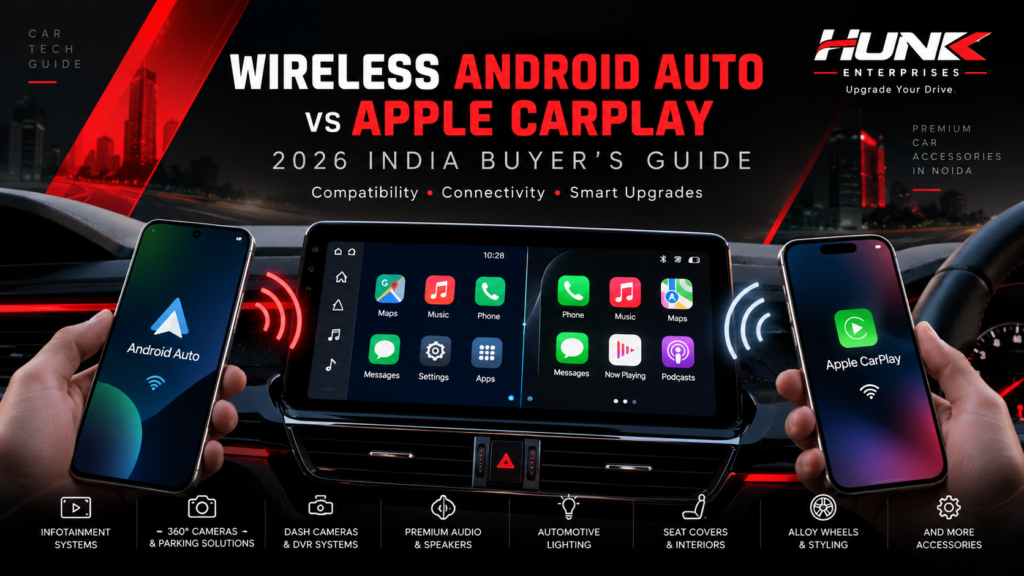
HUNK AUTOMOTIVE JOURNAL · INDIA 2026 Wireless Android Auto vs Apple CarPlay: Complete 2026 India Buyer’s Guide Confused between wireless Android Auto and Apple CarPlay? Understand compatibility, smartphone connectivity, navigation, performance, installation and the right infotainment upgrade for your car. By Hunk Enterprises ● 21 October 2026 ● Car Infotainment ● 10 Min Read Wireless smartphone connectivity explained: Android Auto, Apple CarPlay and modern infotainment upgrades in India. IN THIS GUIDE Introduction Key Differences How Wireless Works Full Comparison Connection Setup Performance Compatibility 2026 Buying Guide Common Problems Final Verdict FAQs Introduction: The Future of Connected Driving Modern car technology is changing how Indian drivers use navigation, music, communication and entertainment. Two of the most important smartphone integration platforms are Android Auto and Apple CarPlay. Both systems allow drivers to access supported smartphone applications through their car’s infotainment screen. Instead of handling a phone while driving, users can access compatible navigation, calling, messaging and audio features through a driving-focused interface. As wireless infotainment systems become more common in India, buyers frequently search for wireless Android Auto vs Apple CarPlay to understand which technology is suitable for their vehicle. This guide from Hunk Enterprises, Noida explains both platforms, how they work, their practical differences and what you should verify before purchasing an aftermarket car infotainment system. Important Buying Insight Android Auto and Apple CarPlay are not competing car stereos. They are smartphone integration platforms. Your phone, vehicle and infotainment hardware determine which platform you can use. What Is the Difference Between Android Auto and Apple CarPlay? Android Auto is Google’s connected driving interface for compatible Android smartphones. Apple CarPlay is Apple’s corresponding interface for compatible iPhones. GOOGLE ECOSYSTEM Android Auto Designed for supported Android phones. It provides access to navigation, media, calls, messages and selected compatible apps through the car display. It integrates with Google’s ecosystem and supported voice-assistant functions. APPLE ECOSYSTEM Apple CarPlay Designed for compatible iPhones. It connects supported apps and services with the vehicle display, including navigation, music, calling and messaging. It integrates with Apple’s ecosystem and Siri. Neither platform is automatically better for every driver. The right option usually depends on the smartphone you own, the apps you prefer and your vehicle’s compatibility. Can one car stereo support both? Yes. Certain factory and aftermarket infotainment systems support both Android Auto and Apple CarPlay. However, some systems offer only wired support for one or both platforms. Always confirm the exact model’s functionality before buying. A product labelled an “Android stereo” does not necessarily support Android Auto or Apple CarPlay. How Does Wireless Connectivity Work? With traditional wired smartphone integration, your phone connects to a compatible infotainment system through a USB cable. Wireless connectivity removes the need to plug in the smartphone on every trip, provided that both the phone and the infotainment system support the relevant wireless platform. 01 Initial Phone Pairing Pair your smartphone with the supported vehicle system, usually beginning through Bluetooth. 02 Wireless Data Connection Compatible systems use Wi-Fi for the main wireless CarPlay or Android Auto connection. Bluetooth is also involved in discovery and pairing. 03 Smartphone Apps on Screen Supported apps appear through the Android Auto or CarPlay driving interface. 04 Automatic Reconnection Once configured, many systems reconnect automatically when the phone and compatible infotainment system are available. Wireless connectivity can be convenient during daily commutes, short trips and frequent stops. However, wireless performance can depend on firmware, phone condition, interference and infotainment hardware. Wireless Android Auto vs Apple CarPlay: Full Comparison Here is a practical comparison for Indian car owners evaluating their infotainment connectivity options in 2026. Feature Android Auto Apple CarPlay Phone ecosystem Compatible Android phones Compatible iPhones Wireless support Available with compatible phone and head unit Available with compatible iPhone and head unit Navigation Google Maps, Waze and supported navigation apps Apple Maps, Google Maps, Waze and supported apps Voice interaction Supported Google voice features, depending on device and software Siri Music and audio Compatible music and podcast applications Compatible music and podcast applications Interface Android-focused driving interface iPhone-focused driving interface USB connection Supported on compatible wired systems Supported on compatible wired systems Wireless technology Wi-Fi and Bluetooth pairing technologies Wi-Fi and Bluetooth pairing technologies Best suited for Android smartphone users iPhone users Exact functionality depends on the phone, infotainment model, software version, app and regional availability. How to Connect Android Auto and Apple CarPlay Setting Up Wireless Android Auto 1 Check Compatibility Verify that your Android phone and vehicle infotainment system support wireless Android Auto. 2 Enable Connectivity Turn on Bluetooth, Wi-Fi and Location Services during initial setup. 3 Pair While Parked Put your vehicle in park, enable phone pairing on the head unit and follow the phone’s instructions. 4 Launch Android Auto Accept the connection prompts. The Android Auto interface should launch on the supported screen. Setting Up Wireless Apple CarPlay First, confirm that your vehicle supports wireless CarPlay. Enable Siri and ensure Wi-Fi and Bluetooth are available on your iPhone. Depending on your vehicle, you may start pairing using the steering-wheel voice-command button or the infotainment system’s wireless connection menu. On your iPhone, visit Settings → General → CarPlay and select your compatible vehicle. Follow the on-screen pairing steps. Some systems also allow an initial USB connection followed by wireless setup. The exact procedure varies by car manufacturer and head unit. Wired vs Wireless: Which Performs Better? Although wireless smartphone connectivity is convenient, a wired connection may remain useful for drivers who prioritise predictable connectivity or need to charge their phones during travel. OPTION 01 Wireless Connection Offers the convenience of keeping your phone in your pocket or bag, depending on vehicle setup. Particularly useful for shorter journeys and frequent vehicle use. Phone battery consumption may be higher than with some wired setups. OPTION 02 Wired Connection Uses a physical USB connection and can provide a consistent alternative where wireless interference causes issues. A compatible USB port may also charge the phone. However, cables and USB ports can wear out over time. What about sound quality? […]